How to Hide API Keys in Frontend Apps (Without a Backend)
If your API key touches the browser, it’s already public. The correct architecture keeps secrets server-side and lets your frontend call a secure endpoint with CORS, rate limits, and server-side header injection.
- No Backend Required
- Server-Side Header Injection
- CORS Enforcement
- IP Rate Limiting
- Abuse Protection
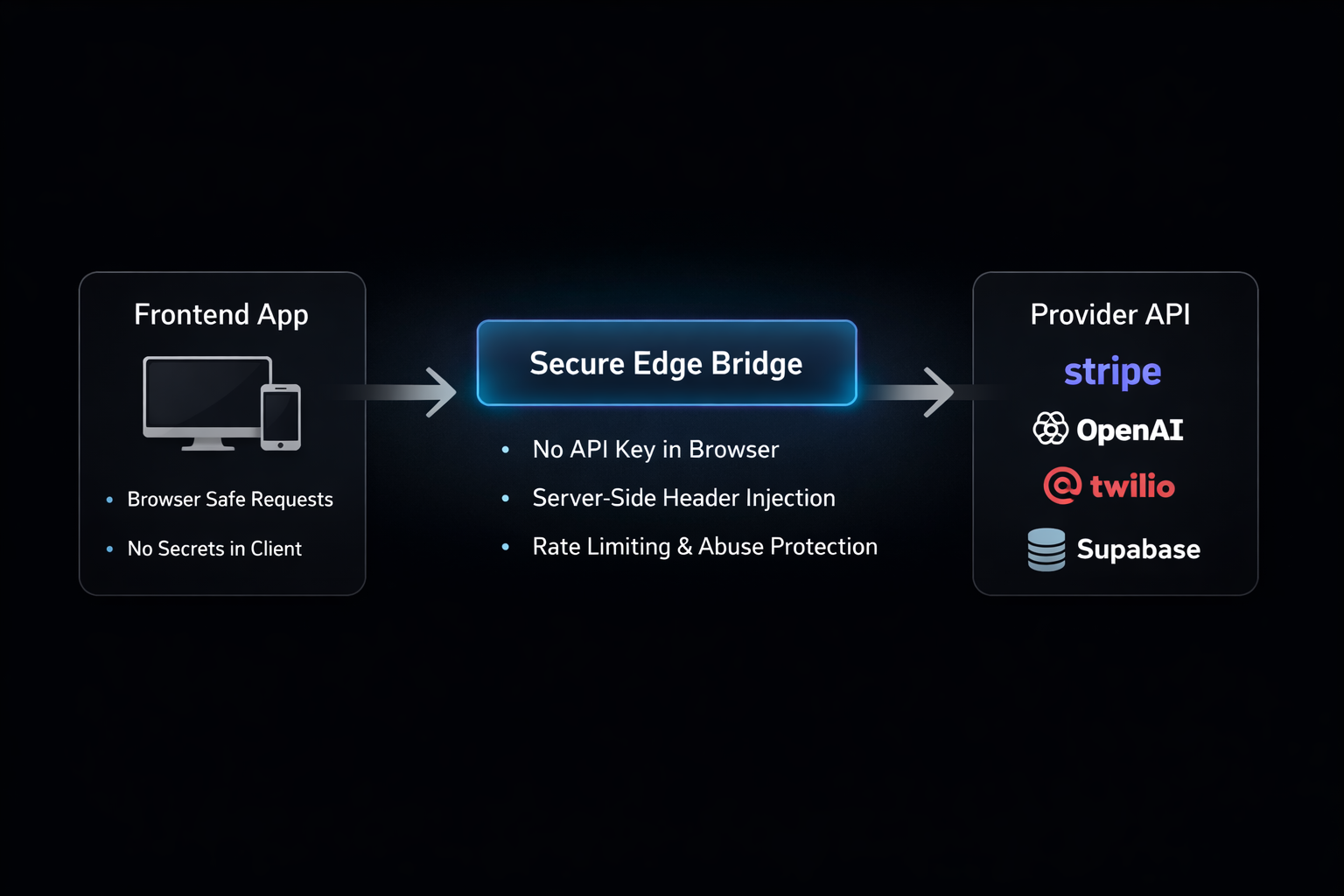
Secure API Key Frontend Architecture Diagram
Why Frontend API Keys Are Always Public
- Browser DevTools expose headers and network calls.
- Bundled environment variables are visible at runtime.
- Anyone can copy your key from the client bundle.
- Bots automatically scrape exposed API keys.
The Secure Bridge Pattern
Instead of calling providers directly from the frontend, the application calls a secure edge endpoint.
The bridge injects secret headers server-side and forwards validated requests.
CORS policies, rate limits, and abuse controls are applied centrally.
Secure Popular APIs
Secure Frontend Request Example
javascript
const response = await fetch('https://api.salting.io/r/BRIDGE_UUID', {
  method: 'POST',
  headers: { 'Content-Type': 'application/json' },
  body: JSON.stringify({ action: 'example' })
});

const data = await response.json();
Frequently Asked Questions
Stop Exposing API Keys
Secure your frontend API calls in minutes — without running your own backend.
Create Secure Endpoint