How to Hide API Keys in React & Next.js (Without Building a Backend)
If you store an API key in a React or Next.js environment variable prefixed with REACT_APP_ or NEXT_PUBLIC_, it gets bundled into client-side JavaScript and is visible to anyone. The only real fix is to keep the key off the client entirely.
- No Backend Required
- Server-Side Header Injection
- CORS Enforcement
- IP Rate Limiting
- Abuse Protection
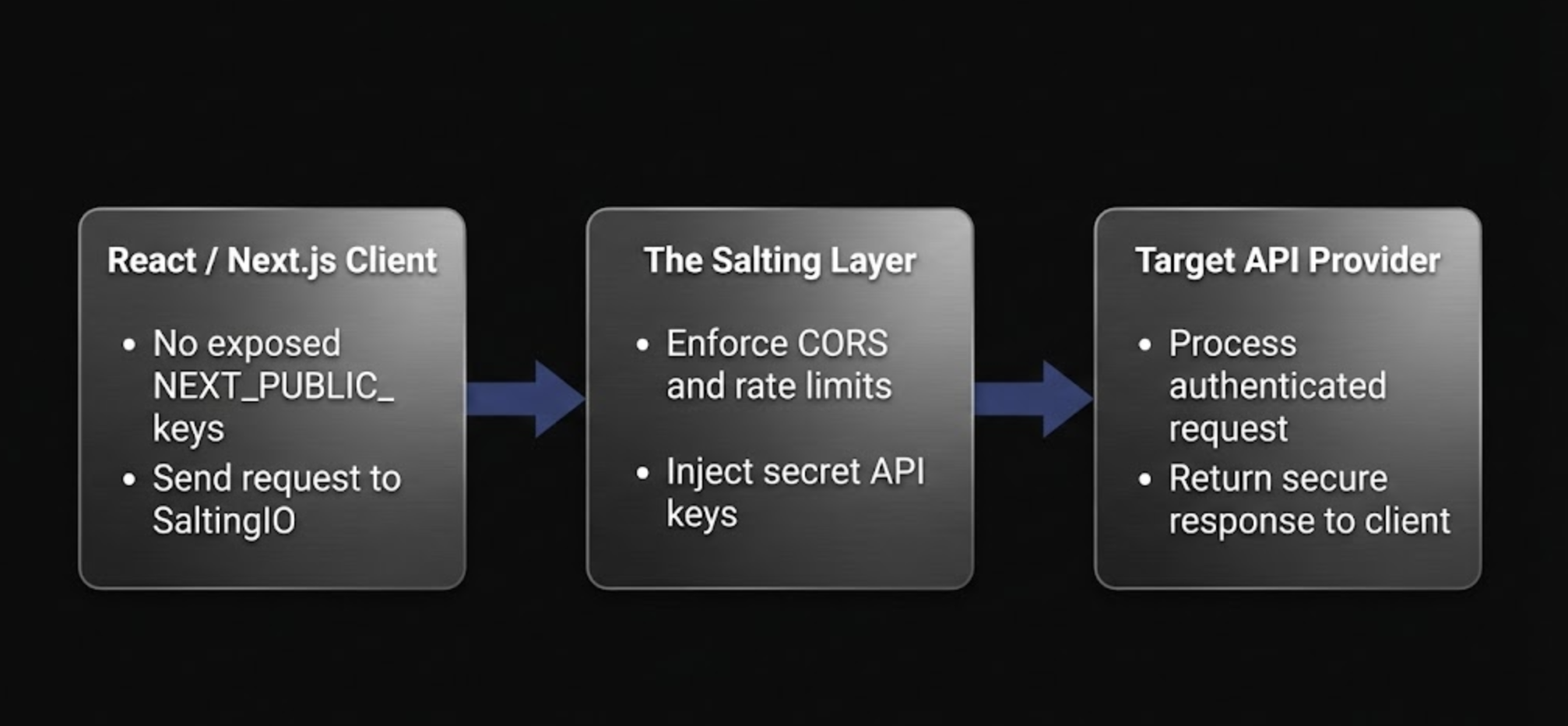
Secure API Key Architecture for React & Next.js
Why API Keys Get Exposed in React & Next.js
- REACT_APP_ and NEXT_PUBLIC_ environment variables are inlined into the JavaScript bundle at build time — they are not secret.
- Browser DevTools Network tab reveals API keys sent in request headers or query parameters.
- Source maps and minified bundles can be reverse-engineered to extract hardcoded keys.
- Bots continuously scan public repositories and deployed sites for leaked credentials.
- Next.js API routes solve the problem for Vercel deployments, but add cold starts, CORS configuration, and infrastructure you need to maintain.
Keep API Keys Server-Side with a Secure Bridge
The correct approach is simple: your API key never reaches the browser. Instead of calling a third-party API directly, your React or Next.js frontend calls a secure edge endpoint that injects credentials server-side before forwarding the request.
A Salting bridge stores your API key encrypted with AES-256-GCM in a zero-knowledge vault. When your frontend calls the bridge URL, Salting attaches the Authorization header (or any required credential) and proxies the request to the upstream API. The key is never exposed to the client.
CORS enforcement restricts which origins can call your bridge, and built-in rate limiting prevents abuse — all without writing a single line of backend code.
Related Secure Integrations
Secure API Request from React
// No API key in the frontend — the bridge injects it server-side
const response = await fetch('https://api.salting.io/r/BRIDGE_UUID', {
  method: 'POST',
  headers: { 'Content-Type': 'application/json' },
  body: JSON.stringify({
    model: 'gpt-4o',
    messages: [{ role: 'user', content: 'Hello' }]
  })
});

const data = await response.json();
Frequently Asked Questions
Stop Shipping API Keys in Your React & Next.js Bundle
Secure your keys in minutes — no backend, no serverless functions, no CORS debugging.
Create Secure Endpoint